xentr_theme_editor

  • Please do not post any links until you have 3 posts as they will automatically be rejected to prevent SPAM. Many words are also blocked due to being used in SPAM Messages. Thanks!

Level 10 GT - Water Cooling Build

xentr_thread_starter
1.only tried serial up to this point....is cheaper....as far as I know only a few degrees different but you need the parallel block

2.more is always better lol

3.I.ve seen bigger loops with only a ddc running and were ok

4.not sure if there better,but can you live with the crop circles?I would try to find a match to your card i think the older ones look better ,rocking 2 of them myself
the xspc blocks would look great in your rig ......edge lit red :punk:

Others suggested parallel is better, so I'll go that route I guess. I think I'm going to plan to add another rad too.

As for the waterblocks, they'll be face down so the crop circles won't bug me too much.

Kinda like doing an ugly chick and she's..... ah, nevermind. You know what I mean. :bananafunky:

I'm going to keep my eye out for a twin in the mean time. I like the XSPC ones too though. Very tempting!
 
xentr_thread_starter
A small update.

20130318_234314_zps656e5965.jpg


More to come :ph34r:
 
nice build man. Enjoy that Crosshair V its pretty awesome. Do try the connection with a laptop for overclocking it's a godsend... When ya setup something that hard locks the computer you can simply reboot it from the lappy and adjust a few voltage settings to iron out stability.

I love my crosshair!
 
nice build man. Enjoy that Crosshair V its pretty awesome. Do try the connection with a laptop for overclocking it's a godsend... When ya setup something that hard locks the computer you can simply reboot it from the lappy and adjust a few voltage settings to iron out stability.

I love my crosshair!
He won't have any problems. That dude knows what he's doing.
 
xentr_thread_starter
bloody sexy

Thanks! :biggrin:

nice build man. Enjoy that Crosshair V its pretty awesome. Do try the connection with a laptop for overclocking it's a godsend... When ya setup something that hard locks the computer you can simply reboot it from the lappy and adjust a few voltage settings to iron out stability.

I love my crosshair!

I've had the board for about a year now. I love it too! I haven't tried using ROG connect with a laptop yet....I'm not sure why either. haha
 
Theres a little switch on the motherboard to make it active. I can't remember if its on or off by default... in the manual at any rate. The rog connect is outstanding for rebooting a frozen computer and tweaking voltages. I'm sure some guys would want more access to play around but it works well enough for a noob like me. Good for watching accurate temps too.
 
xentr_thread_starter
Here are some more pics of my latest upgrade. These were all taken with my cell phone so they're not the best.

Some goodies from Dazmode.

20130318_170506_zps0d2e5662.jpg


A comparison between the old and new EK design. What do you think? The CSQ design really does look better in person.
20130318_183017_zpse4f42608.jpg


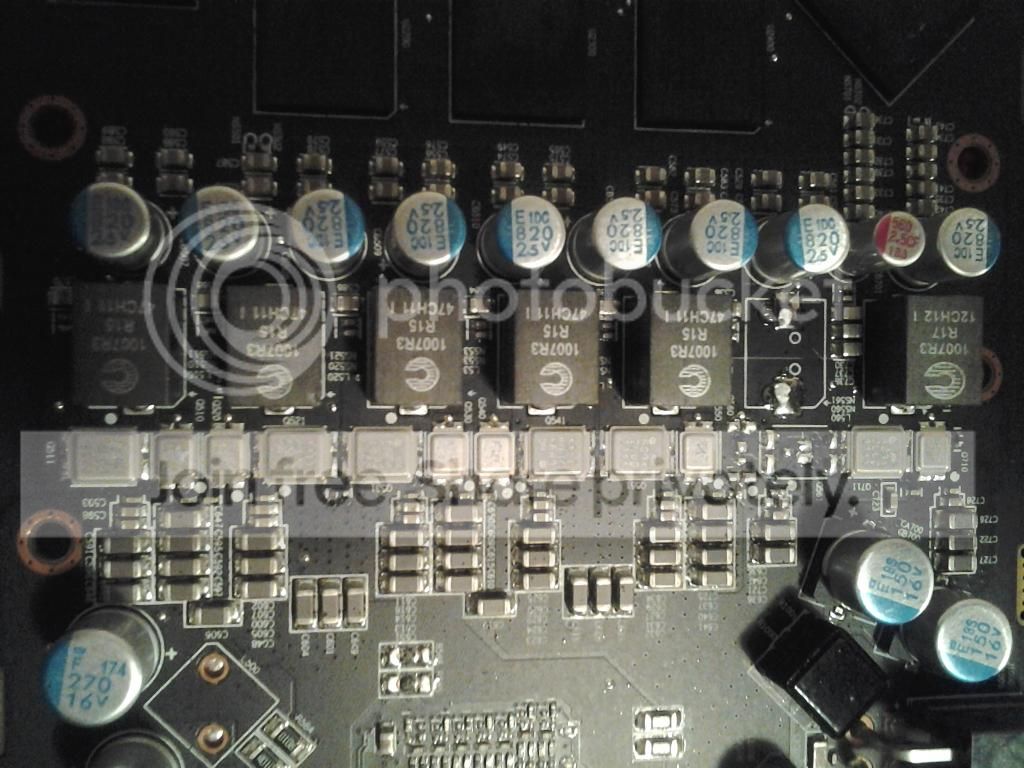
Although both of my cards are reference design from Powercolor, they aren't exactly the same. But the only major difference I could see was the lack of chip capacitors on one of them. I wonder why??
20130318_183741_zpsbde36959.jpg


20130318_183755_zps8810649d.jpg


Now for some exotic poses by the twins!! :bananafunky:
20130318_201553_zps4bd8eaaa.jpg


20130318_202606_zps438e9e0b.jpg


20130318_202619_zps0877be64.jpg


20130318_202655_zps4b158c36.jpg


I really like how the cpu block glows with the 3mm red LEDs installed.
IMG]http://i82.photobucket.com/albums/j241/yosef79/20130318_233932_zpseba7c640.jpg[/IMG]

Crappy pic..... sorry guys.
20130318_233954_zps53eaa926.jpg


Nice pic...... awesome!!
20130318_234150_zpsef8dd798.jpg
 

Latest posts

Back
Top