xentr_theme_editor

  • Please do not post any links until you have 3 posts as they will automatically be rejected to prevent SPAM. Many words are also blocked due to being used in SPAM Messages. Thanks!

Completed DIY Networked Attached Storage

Now, regarding unRAID encryption:

1. I use an "image" file to encrypt my data (have three backups)
2. Yes, I store that image on the USB and automatically decrypt it via a start-up script:

/boot/config/go

Bash:
#!/bin/bash
# Start the Management Utility
/usr/local/sbin/emhttp
# copy encryption file into root dir for auto-unlock
cp /boot/config/keyfile /root/keyfile
 
xentr_thread_starter
@sswilson :

1. For faster writes, put this settings into "recustruct write"
View attachment 43393

Thanks, I found that a little while back. :)

Selecting "reconstructive write" seems to have upped the speed a fair bit.

As far as the Sata power cables go, I should be good.... I'm running two cables to keep the power connectors orientated the same way thus only 3 drives per cable. One of the cables is also supplying fan power along with the 3 drives.
 
For anything unRAID-crazy, refer to this guy:


But you don't have to do everything he does.

I generally keep my things simple and vanilla to ensure smooth upgrades. I have been using unRAID since 2016. There is a learning curve, but over all "it just works".

I cannot complain.
 
xentr_thread_starter
For anything unRAID-crazy, refer to this guy:


But you don't have to do everything he does.

I generally keep my things simple and vanilla to ensure smooth upgrades. I have been using unRAID since 2016. There is a learning curve, but over all "it just works".

I cannot complain.

Keeping stuff "simple" sounds like a good plan. My main problem is that I'm starting from square zero for all things NAS related including both the NAS and the apps to take advantage of it. Just getting the shares working was a major achievement in my eyes. :)

I've even managed to get Docker enabled, and pointed to the cache pool. Next battle is figuring out docker apps and how to determine what paths need to be on the cache and what refers to data that needs to be on the main array.
 
Keeping stuff "simple" sounds like a good plan. My main problem is that I'm starting from square zero for all things NAS related including both the NAS and the apps to take advantage of it. Just getting the shares working was a major achievement in my eyes. :)

I've even managed to get Docker enabled, and pointed to the cache pool. Next battle is figuring out docker apps and how to determine what paths need to be on the cache and what refers to data that needs to be on the main array.

For your media and the open sea..........🏴‍☠️
 
Keeping stuff "simple" sounds like a good plan. My main problem is that I'm starting from square zero for all things NAS related including both the NAS and the apps to take advantage of it. Just getting the shares working was a major achievement in my eyes. :)

I've even managed to get Docker enabled, and pointed to the cache pool. Next battle is figuring out docker apps and how to determine what paths need to be on the cache and what refers to data that needs to be on the main array.

You learn as you go, give it a try - if you have questions, feel free to ask here.

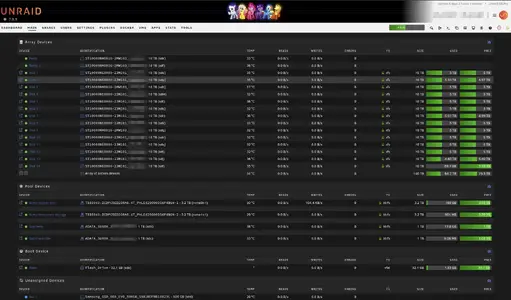
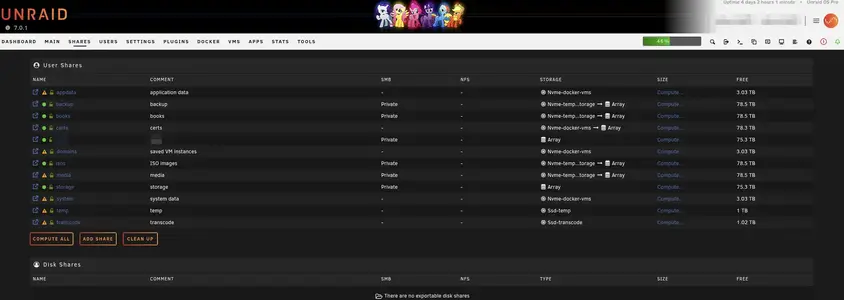
Couple of observations: I think you do not have any "cache" (ssd) pools created. You might need one or two. I have multiple created for various reasons: one for temporary storage, one for docker containers, one for vms, one for temporary storage in case I need to download Linux ISOs and one for transcoding temporary files.

1743279626827.webp

1743279663761.webp
 
xentr_thread_starter
You learn as you go, give it a try - if you have questions, feel free to ask here.

Couple of observations: I think you do not have any "cache" (ssd) pools created. You might need one or two. I have multiple created for various reasons: one for temporary storage, one for docker containers, one for vms, one for temporary storage in case I need to download Linux ISOs and one for transcoding temporary files.

View attachment 43397

View attachment 43398

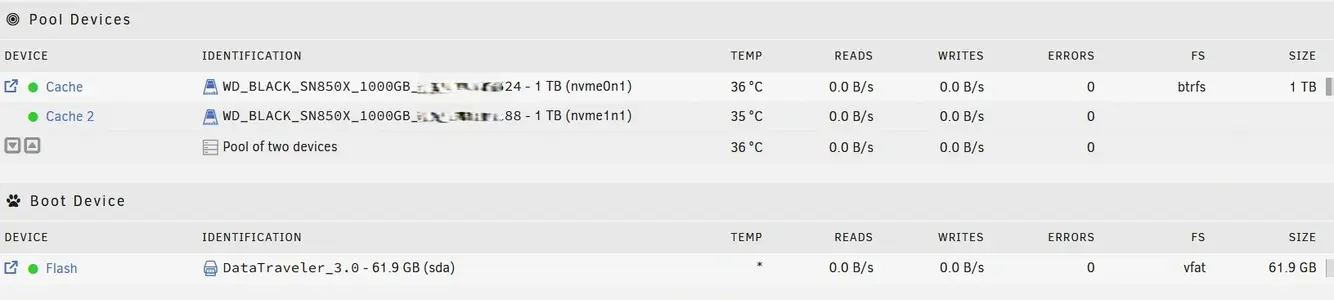
I didn't when I set it up initially, but do have one now.

serial numbers blocked out.webp
 
I didn't when I set it up initially, but do have one now.

View attachment 43400


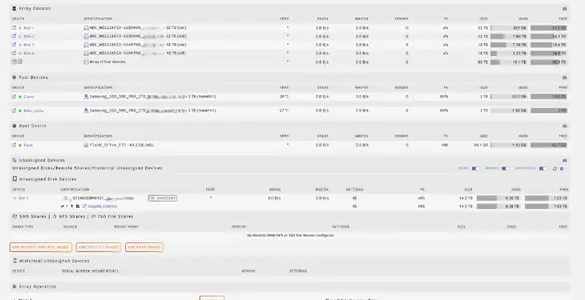
I personally don't mirror or stripe my cache drives. I just use them as singles and then back them up once in a while. I run a cache drive for my apps and then another for downloading. But then I don't run a parity drive either as my unraid server is basically for plex anyway. Anything i have on here can be redownloaded easily.


Screenshot 2025-03-29 134635.webp
 
xentr_thread_starter
Heh.... 80TB!!! (I thought you said you had 2X 18TB, didn't think you had a matching pair of 22TB drives to make them 40TB pairs :) ).
 
xentr_thread_starter
Assuming I'm probably not using the cache drives for read/write and plan to use it strictly for appdata + containers, what's a crazy size to set the docker to? I've already upped it to 50GB from the default 20GB, but 100 would be 10%.
 
Back
Top