xentr_theme_editor

  • Please do not post any links until you have 3 posts as they will automatically be rejected to prevent SPAM. Many words are also blocked due to being used in SPAM Messages. Thanks!

[Resolved] Computer wont boot..

irtehleet

Well-known member
Joined
Apr 22, 2010
Messages
99
Reaction score
0
Location
Ontario
xentr_thread_starter
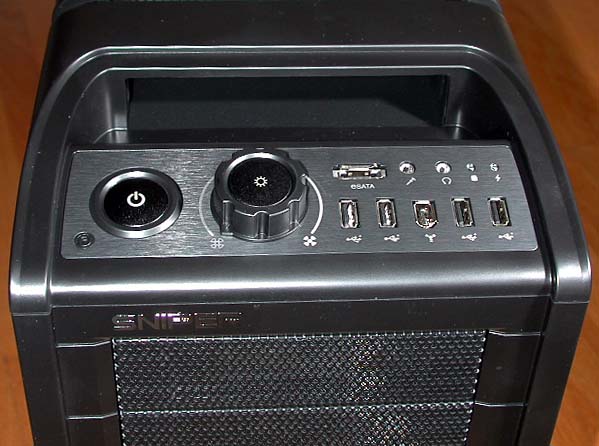
I heard a loud crash of lightning outside my house so i thought i got a power surge then i looked at my computer screens and they were frozen so i went to turn off my computer (by holding the power button) and it wouldnt turn off so i just turned off the surge protector (which its plugged into) and the computer and everything turned off, then I turned the surge protector back on and tried starting the computer and it wont boot (when I press power its like there is nothing there NOTHING happens no fans, mouse/keyboard has no power, nothing!)

cmst4.jpg


Right before I turned off the surge protector I held in the little RESET button under the POWER button, you think this is causing the PC to not turn on?


This issue is resolved, the PSU died and I RMA'd it and got a new one from Corsair. Great guys they are. (HX650w)
 
Last edited:
are there any light indicators on the surge protector itself? what brand and model is it? usually when somethigns amiss the light is lit or not

going to your pc, i say take it apart completely..altough,before that, you could try a known working power cord to your psu directly to the wall, of a known working power receptacle..thing.
. now, if the psu/pc smells funny, forget about it.
 
xentr_thread_starter
The surge protector is fine, powering a TV, this computer I'm currently on and a couple monitors without a problem and the light indicator says "GROUNDED"

I will use the power cord I'm currently using on this computer on the computer that this issue happened with and post back with results

I have a HX650w which has an incredible surge protection and my surge protector also protects it so I really have doubts my computer got surged dead and it smells fine :shok:
 
It could be that you surge protector didn't actually protect anything and the fuse within your PSU went. If this is the case, I suggest you first try your power supply on another system or jump start it (you can find the directions on Google).
 
xentr_thread_starter
Alright I just plugged another cord into my surge protector and then into the PC, still no response from the power ON button but where you plug the ethernet cable in the light is blinking, meaning there is power.

Is this a sign that my PSU is not dead after all?
 
Does your mobo have an onboard power button? If so, open your case, check that all connections are secure and try to use the onboard power button to boot up.
 
xentr_thread_starter
I have the Gigabyte P55-USB3 Motherboard and I'm unsure if it has an onboard power button, could you tell me if it does and where its located if so?

ga-p55-usb3.jpg


Thanks mate
 
None there.

Here is what you can do: your front panel on/off switch is plugged into your mobo with a connector installed on two pins on the mobo. Remove the connector from the mobo to reveal the two pins. Now use a screwdriver to bridge the two pins (basically, touch both of them at the same time with the screwdriver). This will bridge the two and hopefully start the computer. If it starts, you have an issue with the front panel on/off switch. If it doesn't work, it's on to more trouble shooting.

Next up after this, unplug your your PSU from your system and jump it. See here: Power Supply Jumping Guide
 
the man himself stepping in to help, very good!

if you cant swap psus, just take it appart and see. power to the ethernet port is better than nothing, but you have got it to make it go.
 
I think all surge protectors have insurance to cover your equipment.

E-mail or call the company with your story. Sounds like your PC is toast, (or at least your PSU) :(
 
Back
Top