xentr_theme_editor

  • Please do not post any links until you have 3 posts as they will automatically be rejected to prevent SPAM. Many words are also blocked due to being used in SPAM Messages. Thanks!

Completed Lian-Li PC-011 Air (RGB) Something old - Something new

Can't be as bad as my Cosmos 2 though...but I guess I have handles at least.

It's interesting how we've gone from building full new PC's to simply doing case swaps and cooling upgrades on existing hardware though.

That is one of the reasons why I finally decided to try a custom loop and accept the associated expense. After I saw the longevity of my 4790K system (even the i7 920 system if I am being fair) I figured I would run the 8700K and possibly a 9900K down the road in basically the same system for a good long while. Takes the sting out of the cost of the blocks and other components.
 
xentr_thread_starter
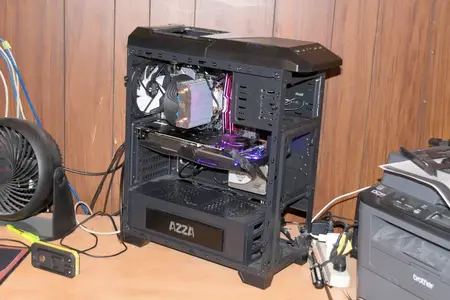
Day 4 Old rig torn down.webp


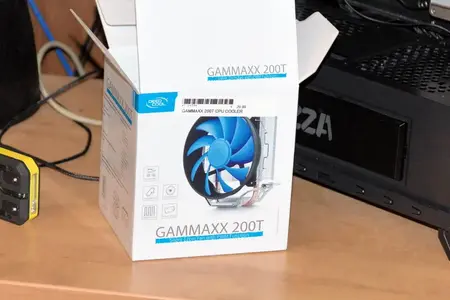
Day 4 cheezy cooler.webp

Finally got around to breaking down my existing loop so that I had access to the parts for the new build. Didn't have a spare cooler kicking around so I grabbed the cheapest I could find from one of the local PC stores.

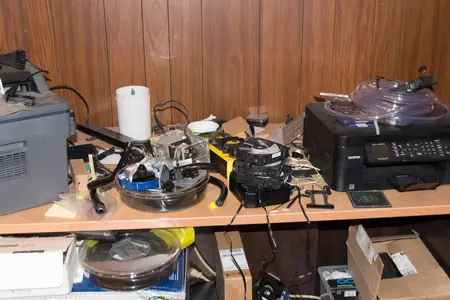
Day 4 messy 1.webp


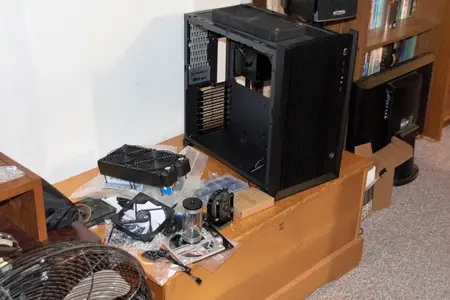
Day 4 messy 2.webp

I suspect some (if not most) of you are meticulous about your workspace while doing a build... Me.... not so much.... :)
 
Whatever gets it done, but man that is a mess of parts! ;)

And the Lian Li is going to a nice upgrade from that Azza case... imo of course.
 
xentr_thread_starter
Day 5 Initial Leak test.webp

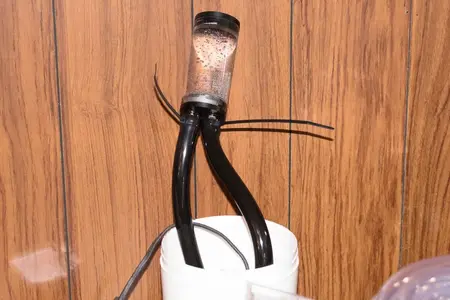
Pump and res initial config leak tested. (I always do this before I start building a loop... not much use in starting if your pump or res are going to leak all over the bloody place... ;) ).

Day 5 Initial roughed in 1.webp


Day 5 Initial roughed in 2.webp


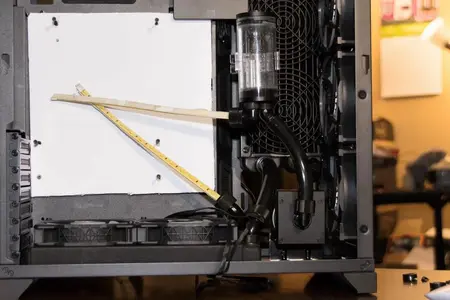
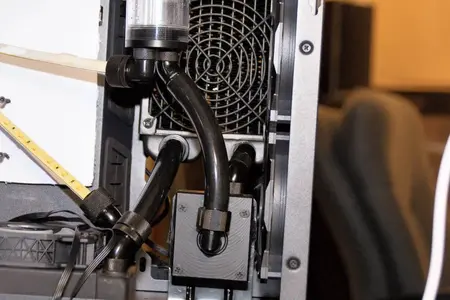
That's the roughed in loop using the old black tubing (white led strips in place of the block tubes). Should be able to upgrade the motherboard without any problems if I decide to drop some coin in the future.
 
xentr_thread_starter
Heh... well currently working on WC loop Ver. 2.0. I wasn't accounting for the length of my vid card and it's impinging on where I had the initial loop done up. Might have to go against my normal inclination towards short runs but at least I'd already rigged up a res mount mechanism that'll allow me a pretty wide range of positions for it.
 
xentr_thread_starter
WC-Loop-V2.jpg


That's Ver 2.0 of the loop, and it looks like it's going to work. Basically ended up flipping the rear(side?) rad so that the barbs are up top, and because the top barbs would now interfere with the third top fan, I dropped it down a couple of inches. Where it's sitting I think there are only 6 of the 8 rear mount screws engaged in the case cutouts, but 6 is plenty to hold the rad up.


I also had to move the res over to get it out of the way of the vid card, and to the left of the res you can see the old thermaltake universal mounting plate that's been pressed into service to give me multiple res mounting options. Lastly... the fitting holes on the res cap are too close together to allow a compression fitting to co-habitate with a rotary fitting so I decided to just go end-to-end. It'll probably be harder to bleed this way, but I'm hoping it won't be too bad. (Made sure that my fill hole wasn't the one with the anti-turbulence tube otherwise I'd never get the bloody bubbles out... ;) ).


Now to remove the vid card and start leak testing.... (oh... and lesson learned... don't start playing with dye until you're sure it's the final version of the loop... ;) ).
 
xentr_thread_starter
Nice! Lots of figuring in that set up too. Looks clean. Now you just need a GPU block... Har Har Har ;)

It would surely help gain back some space too :whistle:


I'm not a fan of how hard it is to work on a loop with a video card block in it, but yes... due to their location in the case (and how they often have a possible cross flow config) they do allow for a less cramped loop.


edit: Overnight leak test was successful.
 
Last edited:

Latest posts

Back
Top