Follow along with the video below to see how to install our site as a web app on your home screen.
Note: This feature may not be available in some browsers.
Please do not post any links until you have 3 posts as they will automatically be rejected to prevent SPAM. Many words are also blocked due to being used in SPAM Messages.
Thanks!
Flush mount 2X3" leg brace designed to be mounted facing in from the outer edge of the table/cabinet or facing out from an internal pedestal. Initially designed for mounting under a wooden virtual pinball cabinet controller.Not sure I'd want to stand on a table held up by 2X3s but it's built...
www.thingiverse.com
Took a lot more than just the single "V2", and I ended up scrapping my first design completely and going at how to build it from a different direction.
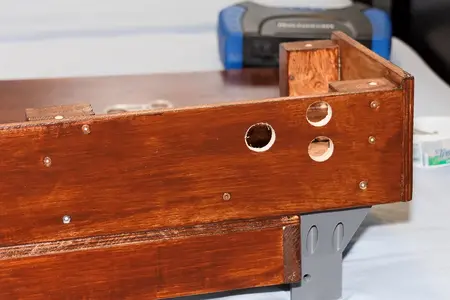
It's a bit nerve wracking cutting holes (that have to line up) in an already complete cabinet.
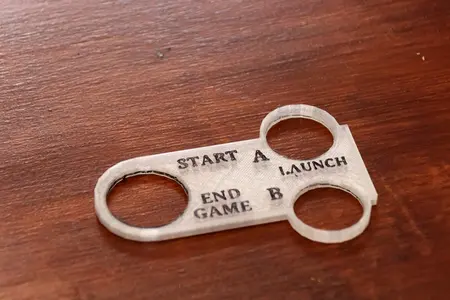
Currently reprinting this plate off at .12 vice .2 to see if it'll give me a bit better definition on the lettering (turned out pretty good for this one, but the "A", and "L" in launch didn't properly bridge between the two sides). If that print looks like a keeper I'm going to try blackening the outer ridge to match the letters to see if I prefer it with or without the outline.
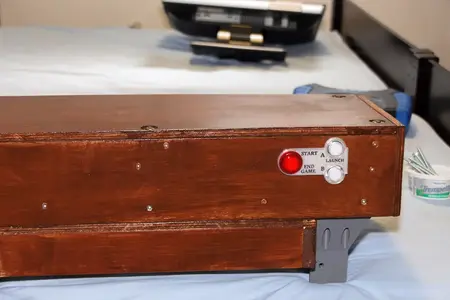
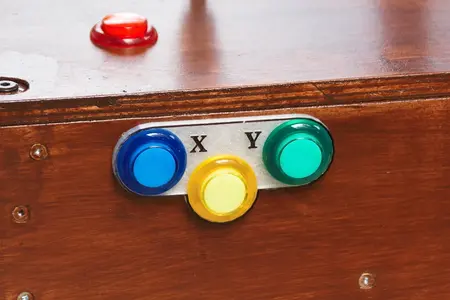
Took a few tries to get everything the right size and lined up, but it turned out reasonably well. I still haven't decided if I want to give the X/Y buttons the same kind of treatment, or even if I want them on the front or the top. The flipper and "nudge" buttons will be flush with the wood... I suspect a plastic plate would just get in the way.
edit: and I just realised I'm going to have to adapt my R/H "lockbar" to go up around that switch... I may end up just printing it @ 100% so I can file out the slot as opposed to trying to figure out exactly where the "hole" should be.
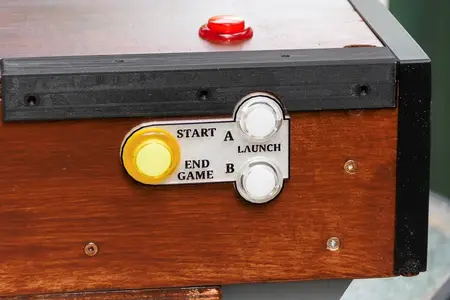
Printing @ .12 had a small affect on the text, but not enough to resolve the issues with the A and L in launch. I suspect that's just from the text scaling in tinkercad. I ultimately did decide that I liked having the border framed in black as well, and the manual filing of the "lockbar" worked as I'd expected. I suppose some 3D printing purists might cringe at the idea that I'm not designing the cutout to be incorporated into the print, but IMO, just like the heatgun forming I did with my silverware drawer patches, if a mechanical tooling is going to produce better results with less fuss I'm all for it.
The X/Y buttons got a similar treatment, and I'm currently printing the L/H lockbar in solid so that I can file the cutout on that one as well.
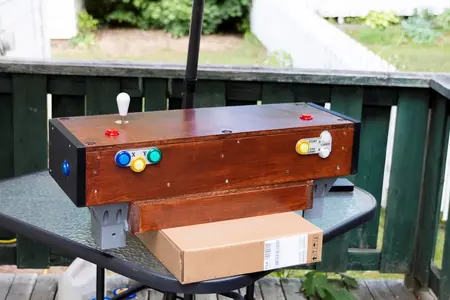
Still needs trim, and I suspect I'm going to do up a plate for the top of the joystick (red nudge buttons will not get a plate, I want them flush with the top of the cabinet). I made a conscious decision to have the nudge buttons as a bit of a stretch to reach as I found I'd occasionally hit the ones on the keyboard mod accidentally. These ones are placed far enough that a person would have to work at getting to them.
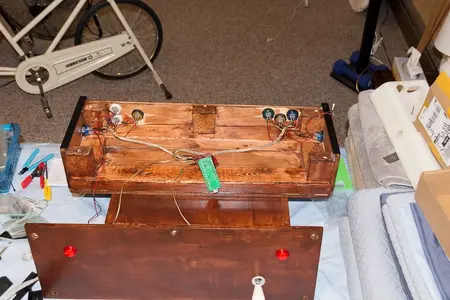
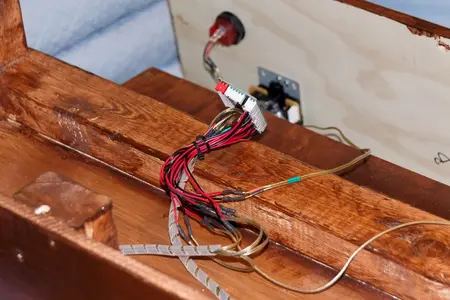
Getting there, but I still have to tackle the wiring...
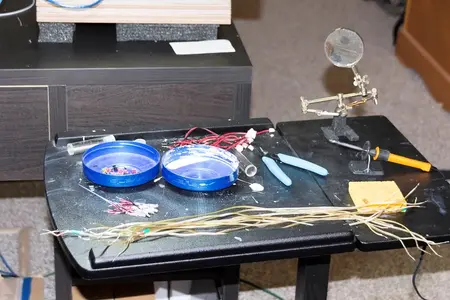
Heh... been putting this off for the whole build... nothing really left to do so time to get cracking.....
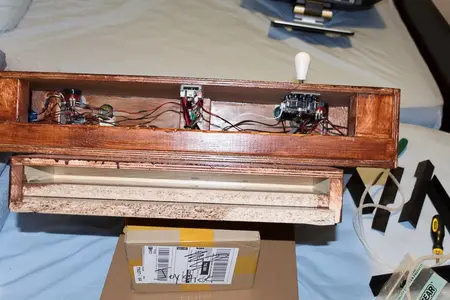
80 wire strips, 80 tins, 80 curled tins, 40 splice solders, 40 heatshrink applications, and 5+ hours gets us to....
Doesn't actually look all that bad... the wrap worked well on these wires.
The top switch lights aren't wired up... I'd like to say that I left them off because I thought they might be a distraction on the top, but the truth is that one of the cables was short by a couple of inches and I've had more than enough splicing for one day...
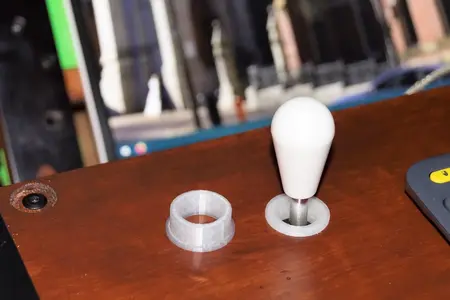
While we're at it... I did up a plug style trim for the joystick...
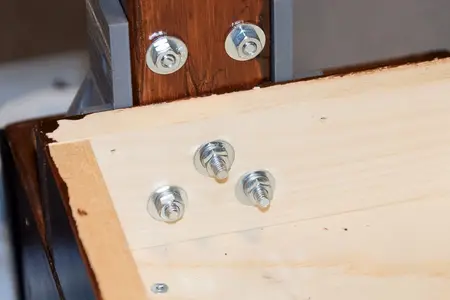
Legs were finally installed as well..... lock washers on the 3 bottom carriage bolts, but t'was a bit short for the other two so I left them out.
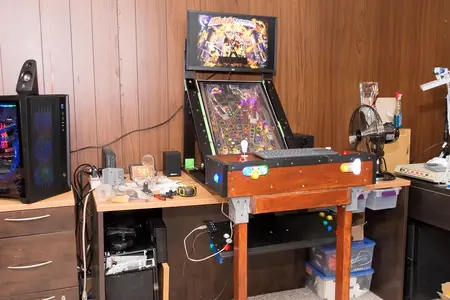
Thar she bee buy!!!! Just by luck (I was going by feel) the flipper buttons ended up @ 35" which is apparently pretty close to the norm for a standard pinball table. Super stable, and it's a comfortable stance to play.
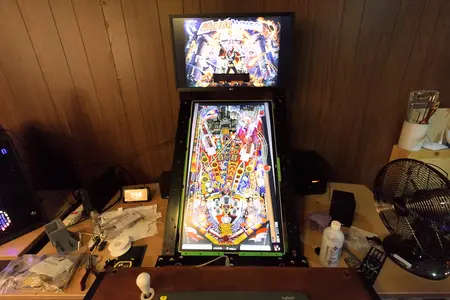
Pulled out my wide angle lens to give an eye's view. This is pretty much what you're seeing if you're a 5' 8" tall gentleman.
Gonna have to do something about that USB cable. I'll either have to track down a right angle cable or move the controller further into the body of the cabinet.
Plays well, but it's going to take a while to get used to the new perspective.
They do make physical spring launchers that put out an analog - digital signal for use in virtual pinball cabinets, but they're not cheap, and they can apparently be a bit of a pain to configure.
On that subject though... newer machines apparently haven't used a spring launch mechanism for quite some time. Many of the williams / bally tables I've got on FX3 were manufactured with a launch button instead of a physical spring launch.
edit, what I'm working on now is some way to "round off" the palm rest corners. I gave the side plates the heatgun treatment to soften the corners and round them off a bit, but there's not a lot of meat there to work with.... had a look at maybe making up some rounded corner guards, but doing rounded corners/edges in tinkercad is a pain... there's no "easy" way to create a cube and then round off the edges/corners with a void.
I'm going to have a look to see if there are any SS corner brackets/guards that might work, otherwise I suspect I'll print off a 40X20 high cube with 4mm walls that I can print solid and file the rounded edges into it (probably just gel tape / velcro it on).